
By Ellard Thomas, MBA · Smarter Business Growth
Quick answer: The easiest way to use AI tools in a small business is to let them write the first draft of everyday work, like social posts, review replies, customer emails, quotes and weekly plans. You stay in charge: you edit every draft so it’s accurate and sounds like you.
In this article
What can AI tools do for a small business?
Think of an AI tool as a fast assistant that’s great at first drafts. You type a request in plain English (called a prompt), and it writes something back in seconds. It doesn’t know your customers or your prices, so your job is to give it the details and then fix what it gets wrong.
For most owners, the biggest win is the writing that piles up every week:
- Social media posts and captions
- Replies to Google reviews
- Follow-up emails and texts to customers
- Quote and service descriptions
- Ad headlines and simple offers
- FAQ pages, job posts and team checklists

Which AI tools should you start with?
You don’t need a special tool for each job. Pick one general assistant and learn it well. The most popular options all have a no-cost version to start with, and paid plans add more use and features:
- ChatGPT (OpenAI): the best-known all-purpose assistant.
- Google Gemini: built into Google’s apps, handy if you live in Gmail and Google Docs.
- Microsoft Copilot: built into Microsoft 365, handy if you use Outlook, Word and Excel.
- Claude (Anthropic): strong at longer writing and editing.
Tool names, features and prices change often, so check each tool’s current plans before you pay for anything. The prompts below work in any of them.
10 AI prompts you can copy today
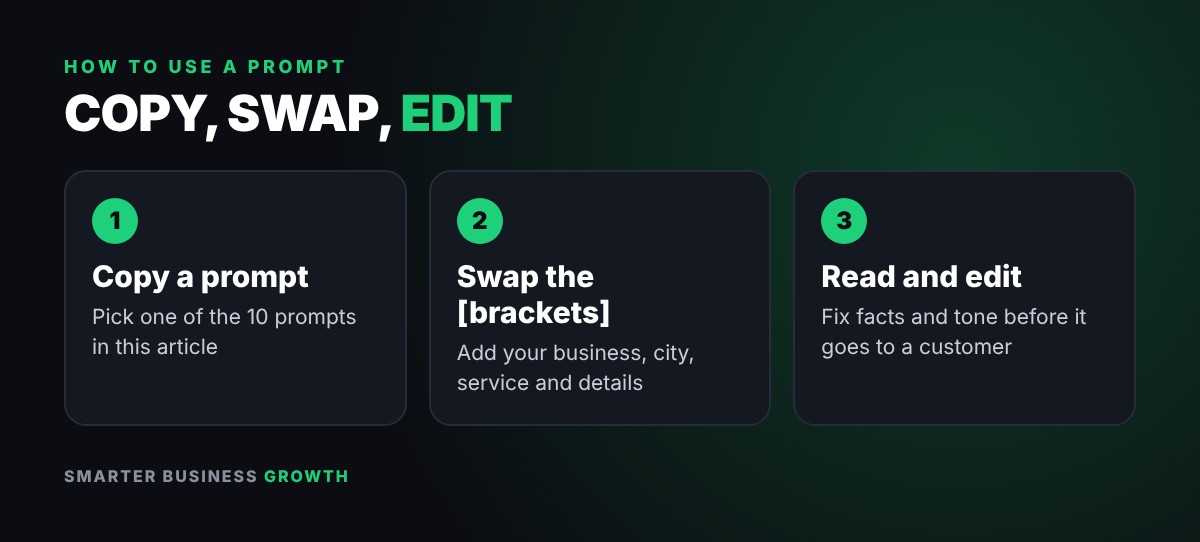
Copy a prompt, swap the parts in [brackets] for your own details, and paste it into your AI tool. The more detail you give, the better the first draft.
1. Social media post ideas
Prompt: Give me 5 short social media post ideas for my [business type] in [city] about [service]. Friendly tone, one clear call to action each.
2. Reply to a Google review
Prompt: Write a warm, professional reply to this Google review. Thank them by name and mention [service]. Keep it under 60 words: [paste review]
3. Follow up on a quote
Prompt: Write a short, no-pressure check-in email to a customer who got a quote from us 3 days ago for [service]. Offer to answer any questions.
4. Turn rough notes into a clear quote
Prompt: Turn these job notes into a clear, friendly quote description a customer can understand: [notes]
5. Ad headlines to test
Prompt: Write 3 headline options for an online ad for [service] in [city]. Keep each under 30 characters.
6. Bring past customers back
Prompt: My business is [describe it]. Give me 5 ideas to bring back customers who haven’t bought in 6 months, without discounting.
7. Build an FAQ page
Prompt: List the 10 questions customers most often ask a [business type] before they buy, with short, plain-English answers.
8. Write a job post
Prompt: Write a job post for a part-time [role]. Include duties, schedule, pay range [range] and how to apply.
9. Turn notes into a team checklist
Prompt: Turn these rough notes into a simple step-by-step checklist my team can follow: [notes]
10. Plan your week
Prompt: Here are my tasks this week: [list]. Sort them by what brings in revenue first and suggest a simple daily plan.
The one rule: read and edit before you use it
AI writes fast, but it can be confidently wrong. Before anything goes to a customer, read it and check:
- Facts and prices: AI doesn’t know your rates, hours or policies unless you tell it.
- Promises: remove anything you can’t deliver, like guarantees or timelines.
- Your voice: change words you’d never say so it sounds like you.
- Privacy: never paste card numbers, passwords or private customer details into an AI tool.
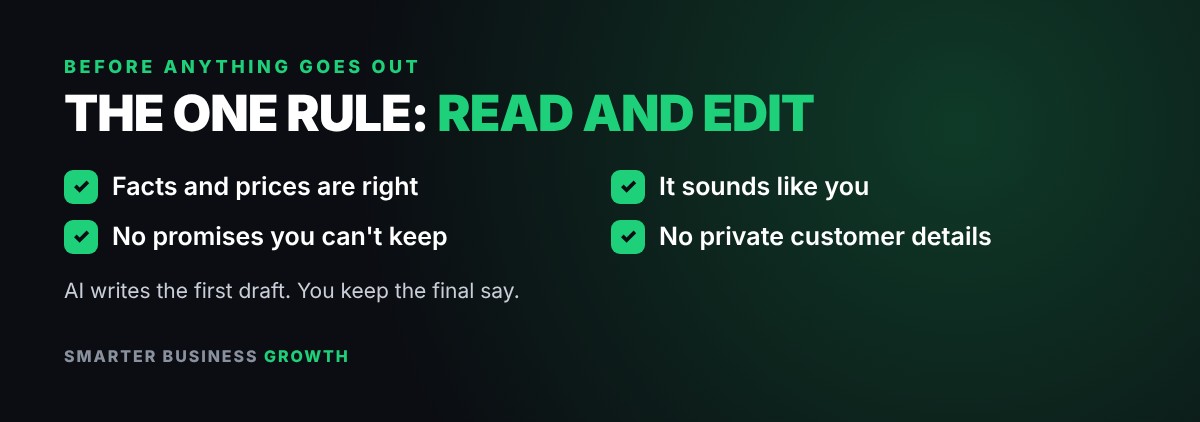
Use AI for the first draft. Keep the final say for yourself.
Worked example: a cleaning company’s Monday
Maria runs a 3-person cleaning company. On Monday morning she opens her AI tool with a coffee and works through three prompts:
- Prompt 2: she pastes in 4 new Google reviews and gets a reply draft for each. She adds a personal detail to two of them and posts all four.
- Prompt 3: she lists the 6 customers who got a quote last week and gets a short check-in email for each, then edits the names and services.
- Prompt 5: she asks for 3 ad headlines for move-out cleaning and picks one to test this week.
In about 20 minutes she has replied to every review, followed up on every open quote and has a new ad idea ready. None of it went out without her reading it first.
AI tools for small business: FAQ
Do I need to be good with technology to use AI?
No. If you can send a text message, you can use an AI tool. You type a request in plain English and edit what comes back.
Is it safe to use AI for my business?
Yes, with common sense. Don’t paste passwords, card numbers or private customer details, and read every draft before you use it.
Which AI tool is best for a small business?
The one you’ll actually use. Start with one general assistant, use the prompts above for a couple of weeks, and only add more tools if you hit a real limit.
Will my customers know I used AI?
Use AI for drafts, then edit so the message sounds like you and is accurate. If a customer asks, be honest about how you work.
Next step: pick one prompt above and use it today. Want more ways to bring in customers? Read How to Get More Customers: 5 Simple Steps and How to Get More Google Reviews: 7-Day System.
Want more quick wins? Follow Smarter Business Growth on YouTube, Instagram, TikTok, Pinterest and LinkedIn for weekly lessons.
Tool names, features and prices change often. Check each provider’s current terms before you sign up. Educational only.

ABOUT THE AUTHOR
Ellard Thomas, MBA
Ellard is the founder of Smarter Business Growth and a business consultant with 20 years of experience helping small business owners grow, from getting customers to understanding funding.
Watch Smarter Business Growth on YouTube · Follow @smarterbusinessgrowth on Instagram


Leave a Reply